Private AI.
Ready to use.

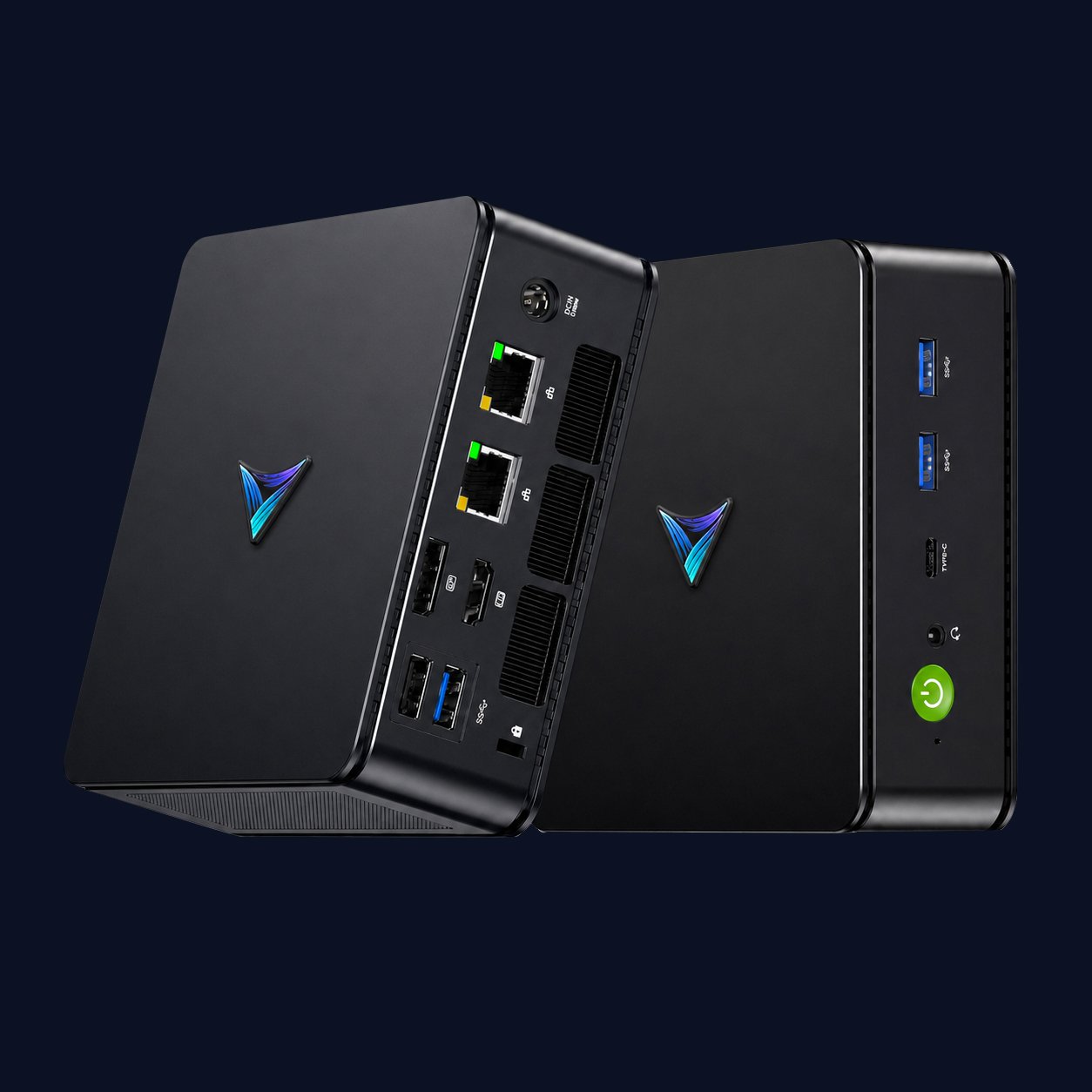
AI ClawBox is AI-in-a-box for professionals, small teams, and small businesses, built as a private digital assistant for work, knowledge, documents, workflows, and daily operations.

— Overview —

Private AI, separated from your everyday computer.

ClawBox gives you a dedicated local AI environment for work tasks like document Q&A, internal knowledge search, drafting, and workflow support. It is designed to keep sensitive work separate from your main laptop or desktop, with clear control over what stays local and what connects externally.

ClawBox is Veloryn’s first productised local AI appliance. It gives you a controlled private AI workspace that can be configured for local-only workflows, with optional integrations defined during setup.

— Configurations —

Available with Clawbot or QClaw pre-installed.

Choose the AI experience that fits your workflow. We install, configure, and test it so you can start using ClawBox immediately.

OpenClaw

Power users and flexible setups

  • More configurable setup for users who want direct control.
  • Flexible, manual workflow building for custom use cases.
  • Community-driven updates for experimenters who like to shape their environment.
  • Requires more careful configuration of controls and permissions.
  • Best suited to technical users and experimenters.

QClaw

Fast setup and a guided experience

  • More streamlined and managed for everyday business use.
  • Structured, guided workflow building for faster onboarding.
  • Managed update path for a more stable operating experience.
  • More opinionated guardrails for permissions and control.
  • Ideal for professionals and teams who want simplicity.

ClawBox can be configured for local-only workflows, where sensitive documents, prompts, and AI processing stay on the device. External integrations are optional and should be clearly defined during setup.

— Best Fit —

Built for people who handle real work and real data.

ClawBox is ideal for:

Individual professionals

Enhance personal productivity with private AI tools that support your workflow and protect your data.

Small business owners

Reduce overheads and improve day-to-day operations without needing an in-house data science team.

Operations managers

Streamline processes, improve visibility, and keep human oversight built into daily workflows.

IT managers

Deploy secure, auditable AI systems that integrate cleanly into existing infrastructure.

Teams handling sensitive data

Maintain stronger control, access governance, and compliance across documents, workflows, and internal knowledge.

Organisations wanting private AI

Run AI locally or on private infrastructure for greater control, privacy, and data sovereignty.

— Use Cases —

Operate at the Horizon

ClawBox gives teams practical AI workflows without the setup burden, making it easier to use private AI for document Q&A, knowledge search, drafting, workflow support, and day-to-day productivity. Common ways teams use ClawBox include:

24/7 customer support
Lead qualification
Appointment booking
Email sending & summarisation
Market research
HR & recruitment screening
Task & project management
Learning & study coach
Personal finance assistant
Study coach & mentor
Content assistant
Reporting automation
— Why It Matters —

Privacy, predictable cost, and control.

ClawBox is designed for organisations that want:

Privacy and data security

Keep contracts, customer records, internal documents, and business knowledge in a controlled private AI environment.

Predictable cost

Reduce exposure to escalating cloud usage and operate with clearer cost expectations as usage grows.

Governance and control

Maintain clearer control over the AI environment, user access, permissions, and external dependency risk.

Simplicity

Use plug-and-play private AI without needing AI engineering, infrastructure skills, or a complex setup process.

— Data Boundaries —

Keep your documents on ClawBox.
Connect to online tools only when needed.

ClawBox is a dedicated device that runs your own private AI assistant, completely separate from your main computer. Your files and conversations stay on the device itself rather than being sent to online services like ChatGPT, Gemini, or Claude. So when you ask it something like “summarise this document” or “pull out the key points in this contract,” that information never has to leave your hands.

If you’d like to connect ClawBox to tools you already use, like Gmail or Google Drive, that’s an option too, but only ever with your explicit say-so. When we set things up together, we’ll be clear and upfront about exactly what stays local and what, if anything, is allowed to go online.

— Specification —

Compact hardware, business-ready performance.

Engineered for continuous operational integrity. The ClawBox integrates advanced edge processing with hardware-level governance, ensuring your deployments remain compliant and performant.

  • Compute architecture

    AMD Ryzen 5 7640HS Processor, AMD Radeon 760M Graphics

  • Memory and storage

    32GB RAM, 1TB SSD storage, expandable up to 8TB

  • Connectivity

    WiFi 6E and Bluetooth 5.2, Dual 2.5G LAN ports

  • Display and expansion

    HDMI, DisplayPort, and USB4 connections

  • Operating system and box contents

    Windows 11 Pro, includes power adapter, HDMI cable, manual, and warranty card

Standard configuration US$1,099
Order Now
ClawBox hardware internal view
— CONFIRM YOUR CLAWBOX ORDER —

Ready to order your private AI assistant?

Share a few details and we’ll confirm availability and the right configuration for your needs. Payment is only requested once we confirm your order.

Additional Support

contact[at]veloryn.ai

By submitting this form, you agree to our Privacy Policy and Terms of Service. Your data is managed in accordance with SOC 2 security and compliance standards.

— FREQUENTLY ASKED QUESTIONS —

Common questions before you order.

add remove
computer

Is ClawBox a mini PC?

ClawBox is sold as a private AI appliance, not a general-purpose computer. It’s designed as a dedicated environment for running AI workflows safely, separate from your everyday machine.

add remove
shield_lock

Does ClawBox keep my data private?

ClawBox can be configured for local-only workflows, where sensitive documents, prompts, and AI processing stay on the device. If you choose to connect external tools like email, cloud storage, or AI APIs, we define exactly what data is shared during setup.

add remove
laptop_mac

Why not just install this on my laptop?

You can, but agent-style AI tools often require access to files, apps, browsers, and accounts. Running them on your everyday computer increases risk. ClawBox gives you separation and containment so your primary device stays clean.

add remove
tune

Which should I choose: OpenClaw or QClaw?

Choose OpenClaw if you want maximum flexibility and are comfortable with more technical setup. Choose QClaw if you want a more guided, streamlined experience. If you’re unsure, we’ll recommend the best fit based on your use case.

add remove
groups

Can a team share one ClawBox?

ClawBox can be deployed across a team, but the best experience is typically one ClawBox per person for performance, privacy, and clear separation of work.

add remove
assignment

What do I need to get started?

Just submit the order form with your intended use case. We’ll confirm availability, your preferred software option, and any setup requirements. Payment is only required once your order is confirmed.

add remove
support_agent

Do you provide setup support?

Yes. ClawBox is delivered pre-installed and tested. If you want optional integrations or custom workflows, we can configure those during setup.

add remove
local_shipping

What happens after I order?

After you submit the order form, we’ll confirm stock availability, your preferred software option, OpenClaw or QClaw, and any setup requirements. Once everything is confirmed, we’ll send the payment details and ask for your delivery information.

add remove
wifi

What internet connection do I need?

ClawBox can run local workflows without relying on cloud services. An internet connection is only needed for updates or if you choose to enable external integrations.

add remove
contact_support

What happens if I need help later?

You can contact Veloryn for support. We can help with troubleshooting, reconfiguration, and optional upgrades or new workflows as your needs evolve.